
Here’s a step-by-step guide to help you buy coins with fiat currencies, using bank card payments on Bybit Georgia.
Currently, Visa and Mastercard payments are supported. Please also complete identity verification before purchasing coins. To learn more about KYC requirements, please refer to FAQ — Bank Payments.
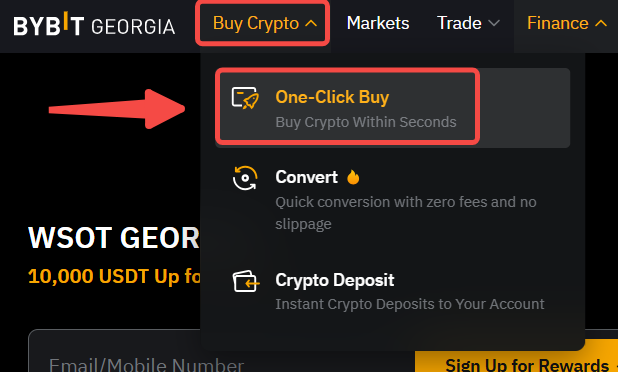
Step 1: Click on Buy Crypto → One-Click Buy on the top left corner of the navigation bar to enter the One-Click Buy page.
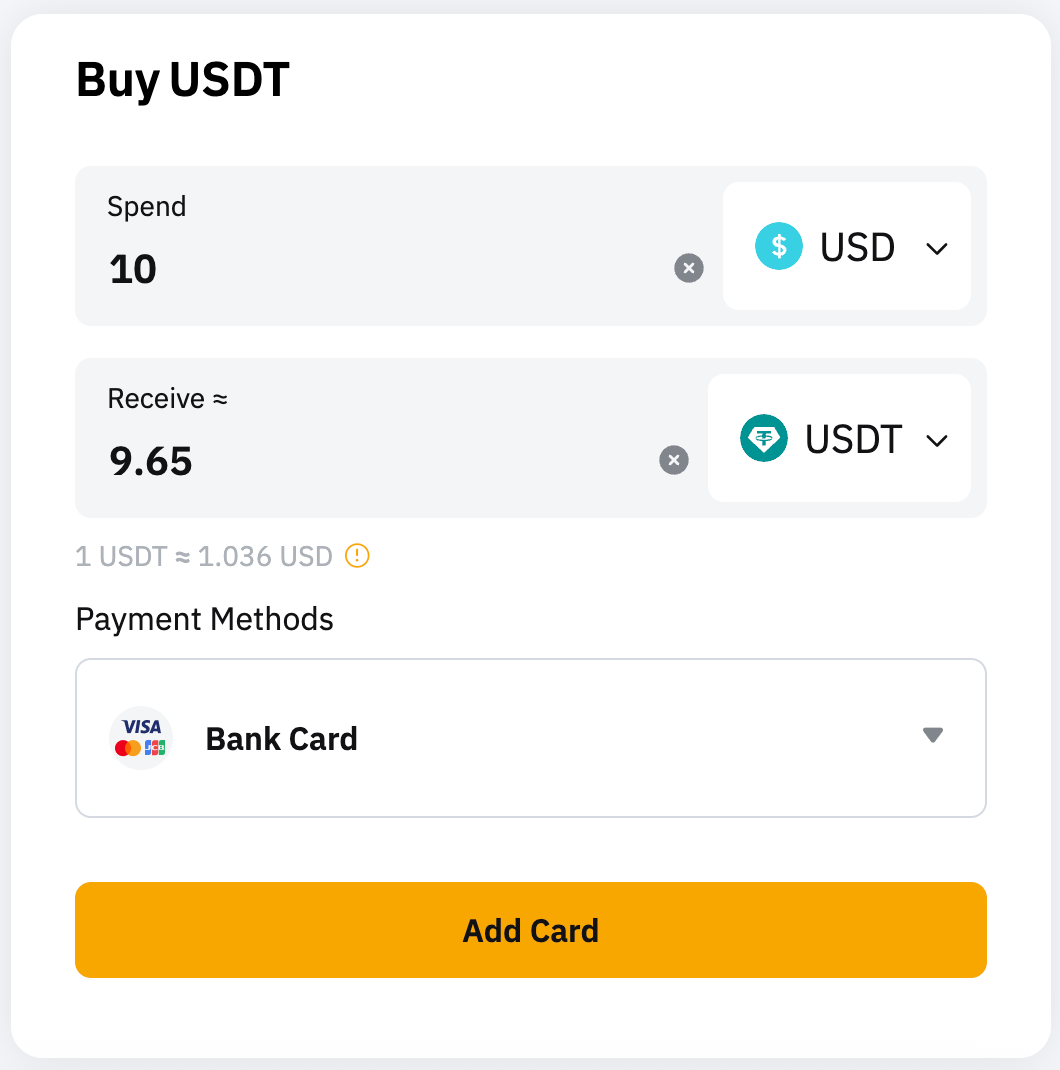
Step 2: Enter your order information:
- Choose the fiat and cryptocurrencies you would like to use.
- Enter your order amount.
- Select Bank Card as the payment details. You will see an estimated conversion rate for each payment method available (refreshed every 30 seconds).
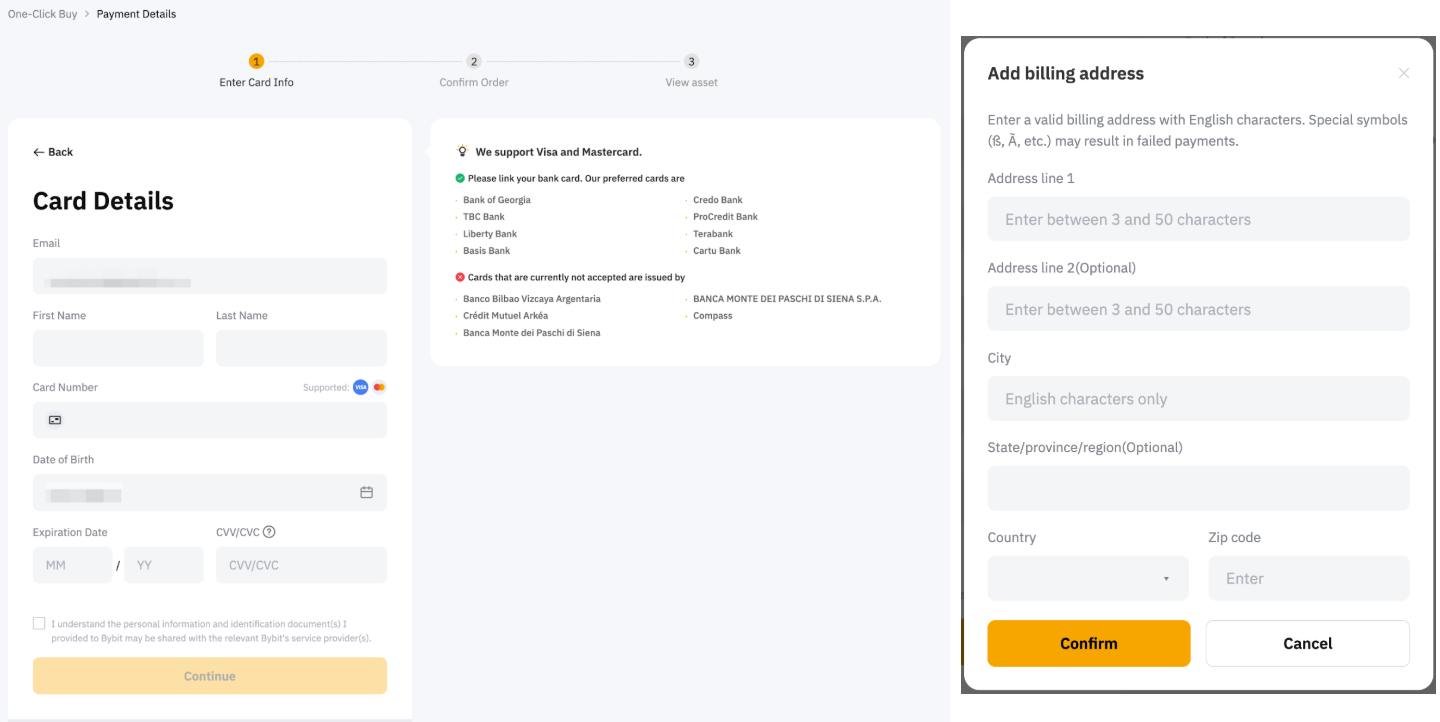
Step 3: Click Add Card to link your bank card. Ensure that your bank card is supported before adding your card information and click on Continue once done. You will be required to fill in the billing address. Please ensure that the billing address entered matches your bank card’s registered address.
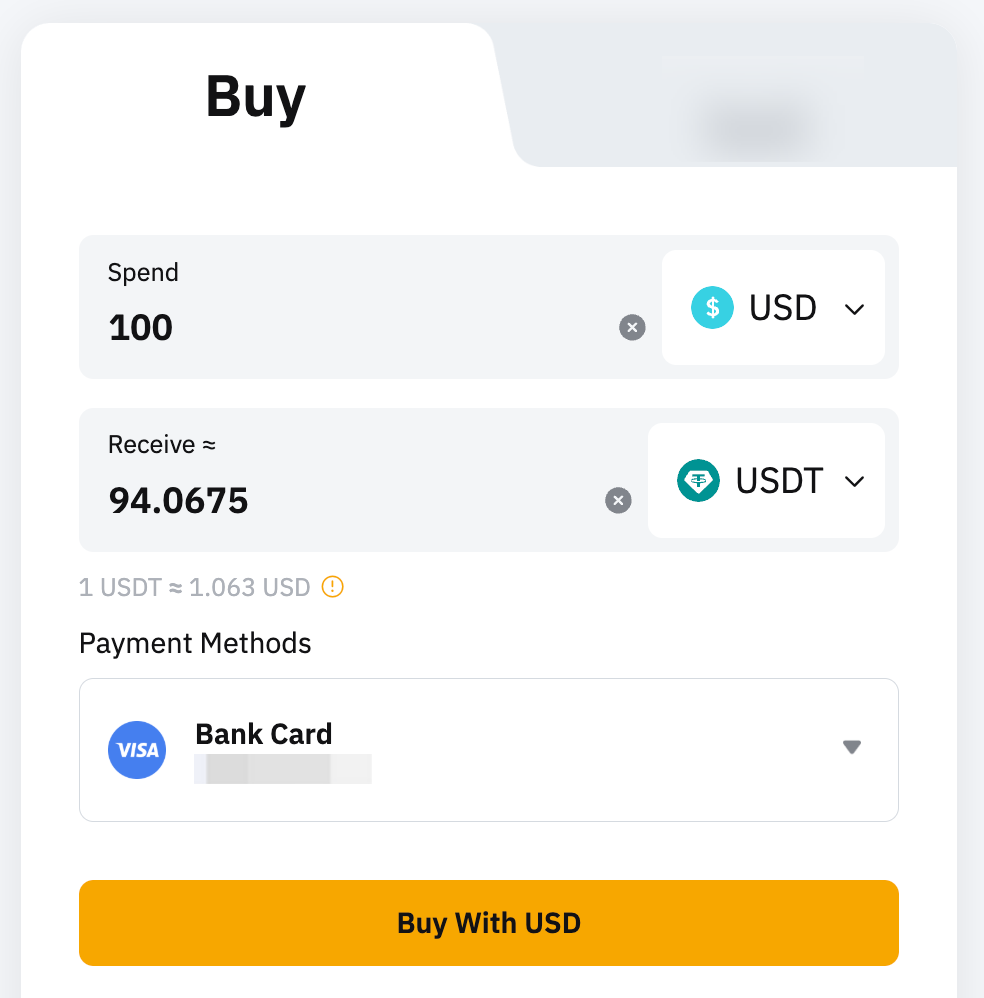
If you have already added your bank card information, your card should be listed under the Bank Card payment method. Select the card that you would like to use and click on Deposit to proceed with the card payment (Step 5).
Note:
- If you have not submitted a billing address when linking your card before, you will be required to submit one.
- Your bank account name must be consistent with your registered name on Bybit Georgia.
- You may need to enter a CVV code and/or pass 3DS verification.
Step 4: Please verify your order details and click on Confirm to process your order. Please note that the price indicated on this page will be refreshed every 30 seconds.
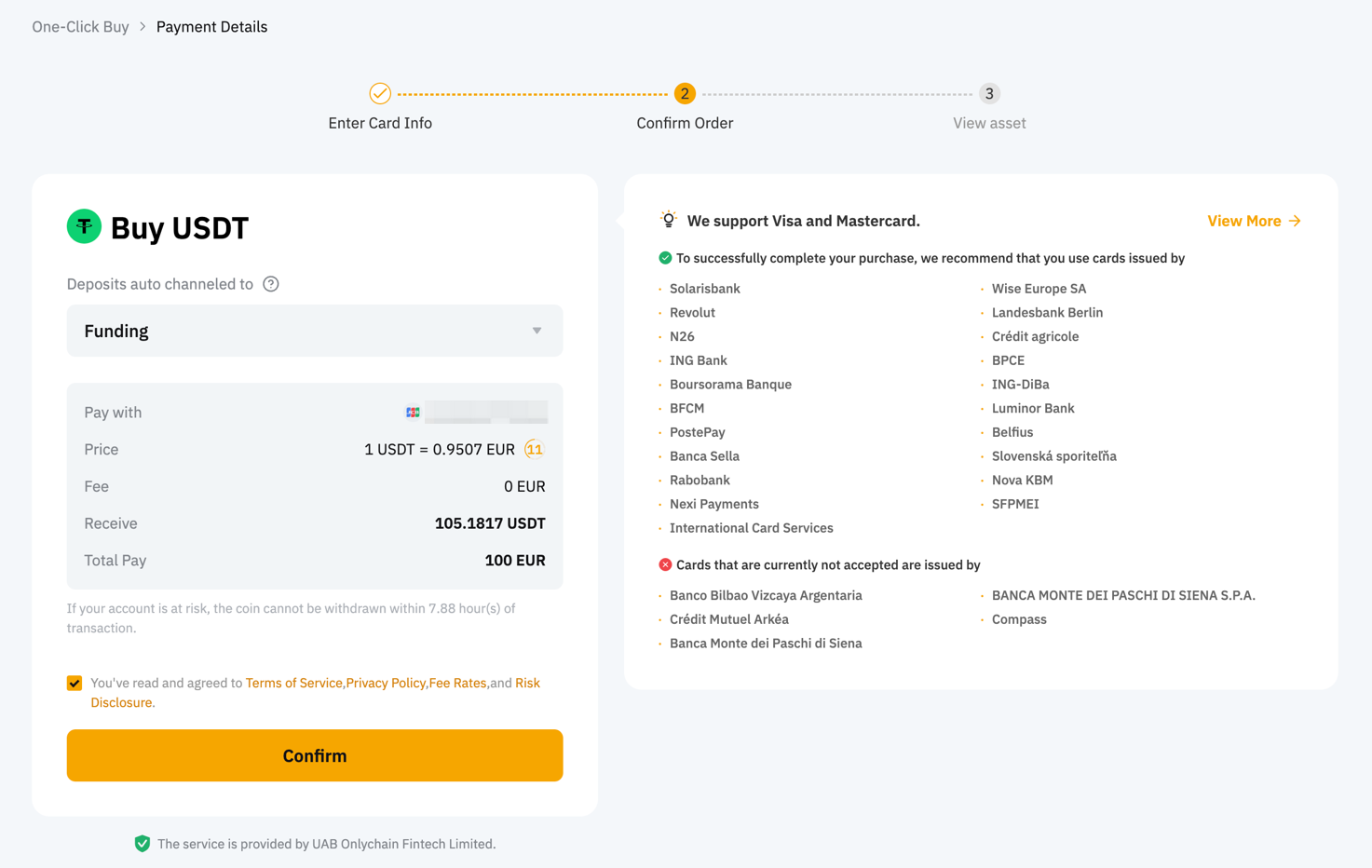
Step 5: The card payment is processing. You may be prompted to enter a one-time passcode or confirm the transaction from your Bank App. There is a chance that 3D secure code will be needed.
Card payment processing usually takes a few seconds. If you encounter any issues during your bank card payment process, please refer to Troubleshooting: Failed Payments.
Step 6: Your transaction is complete. The coins will be credited to your account immediately after the purchase is complete.
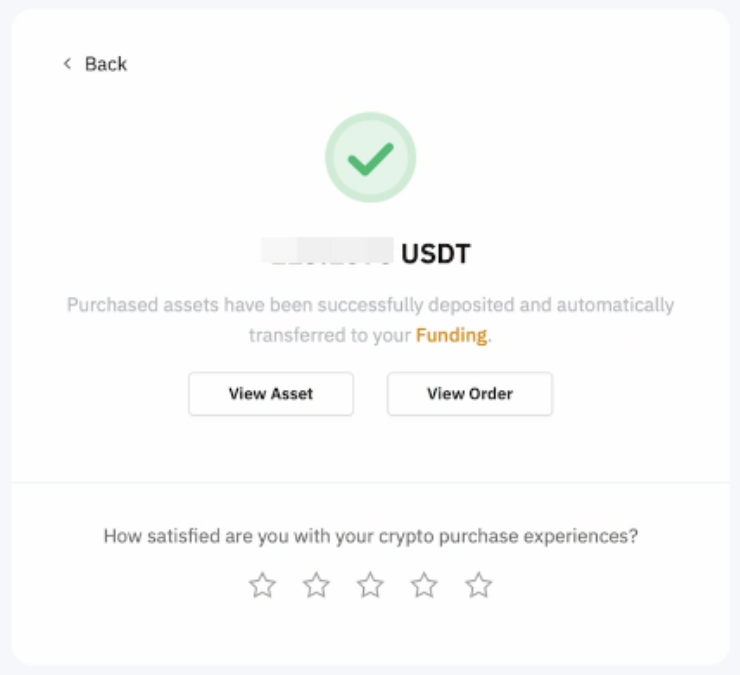
- Click on View Asset to check your balance. You’ll receive your order status by email and notification if you've enabled them.
- Click on Buy More and you’ll be redirected to the order page.
- Click on Orders in the top right corner to get more details and view your order history.