
Step 1: Check your junk/spam box to determine if the email has unintentionally landed up inside.
Step 2: Whitelist our Bybit Georgia email addresses to ensure a successful receiving of the email. To obtain the list of email addresses, please click here.
To find out more details about how to whitelist, please refer to some of the major email service providers' official guides.
- Gmail
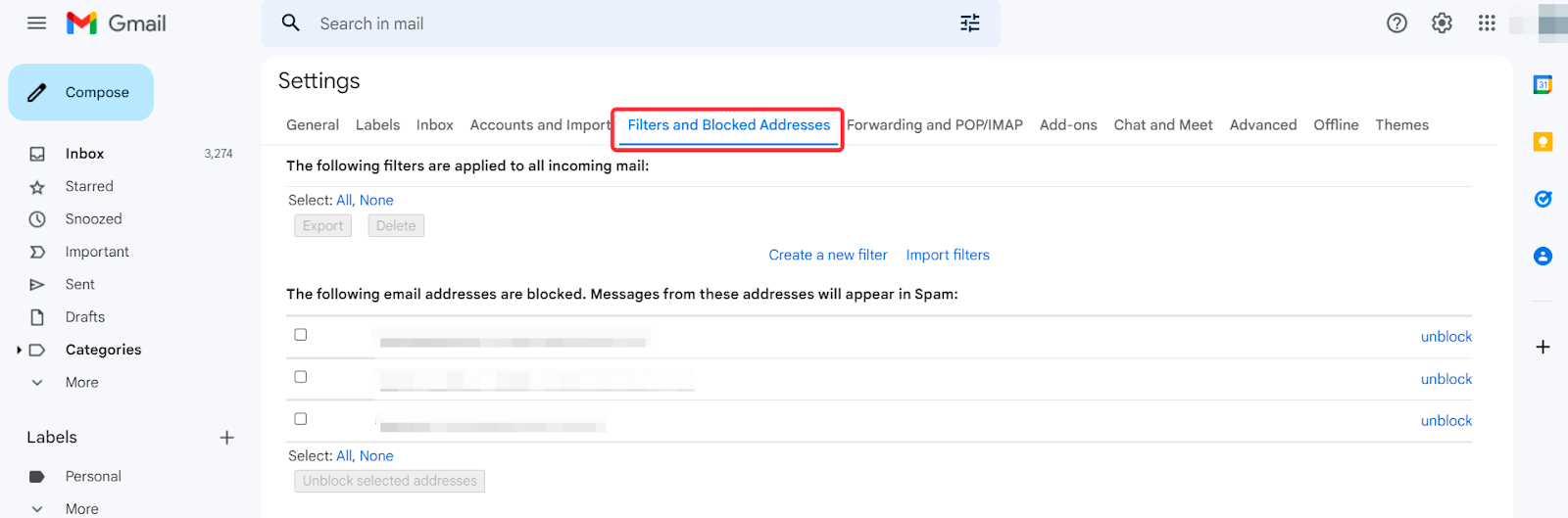
Step 1: Click on your Gmail account settings, and select Filters and Blocked Addresses.
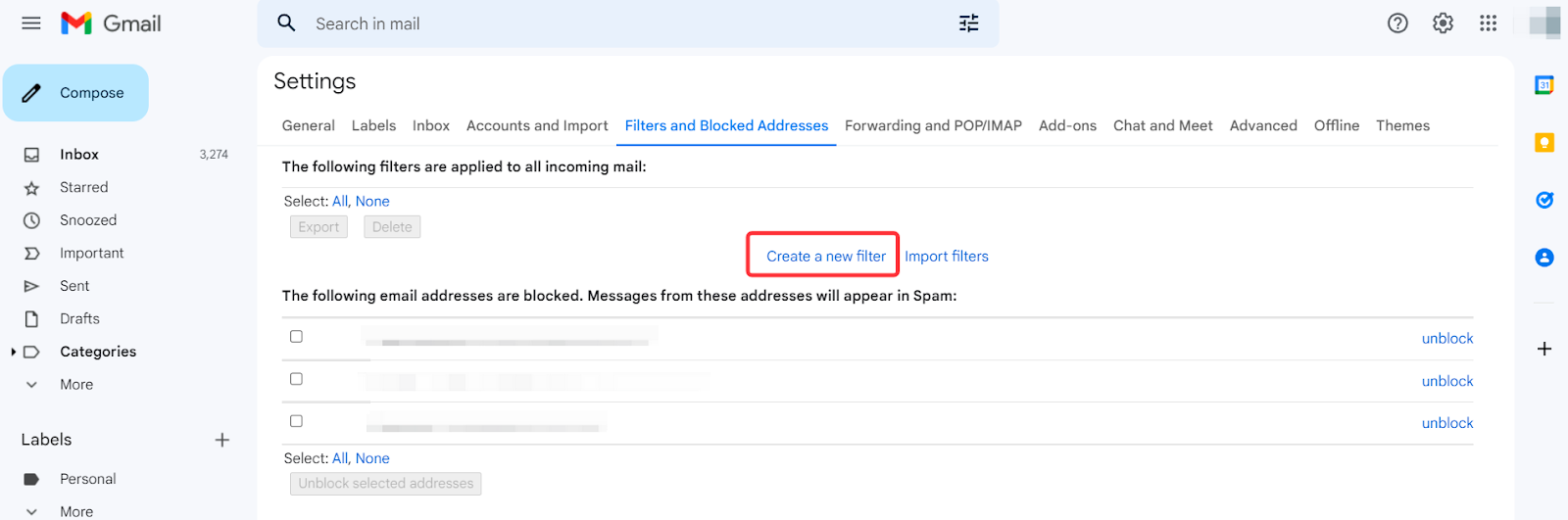
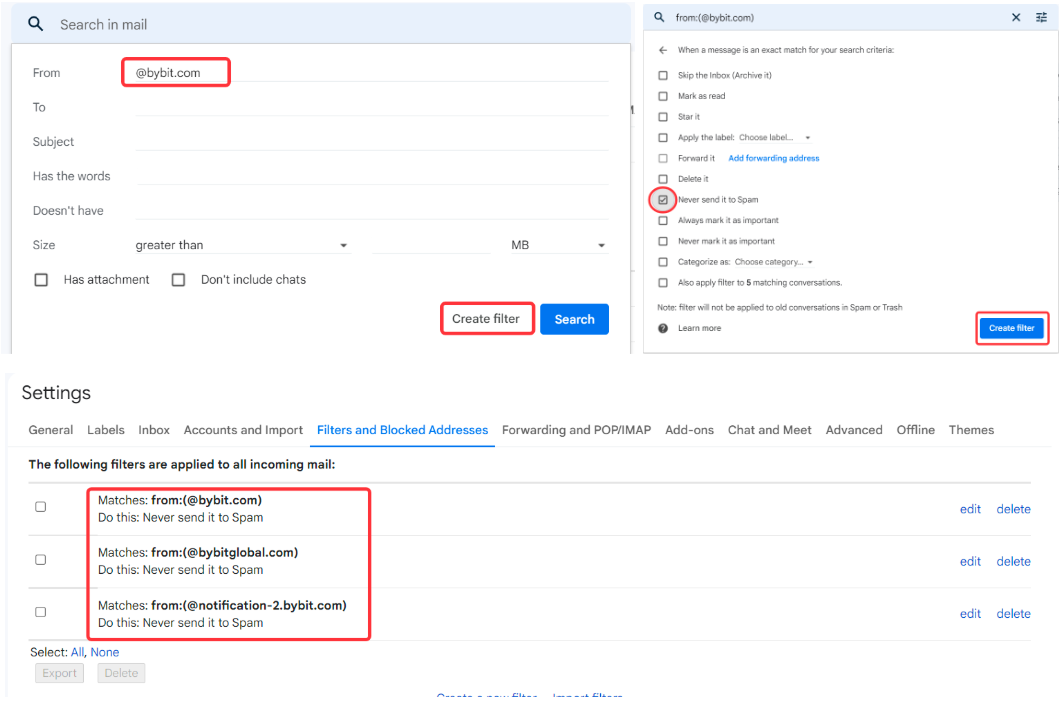
Step 2: Click on Create a new filter, enter the domain in from and press Create Filter.
Step 3: Select Never send it to Spam checkbox to complete the whitelist.
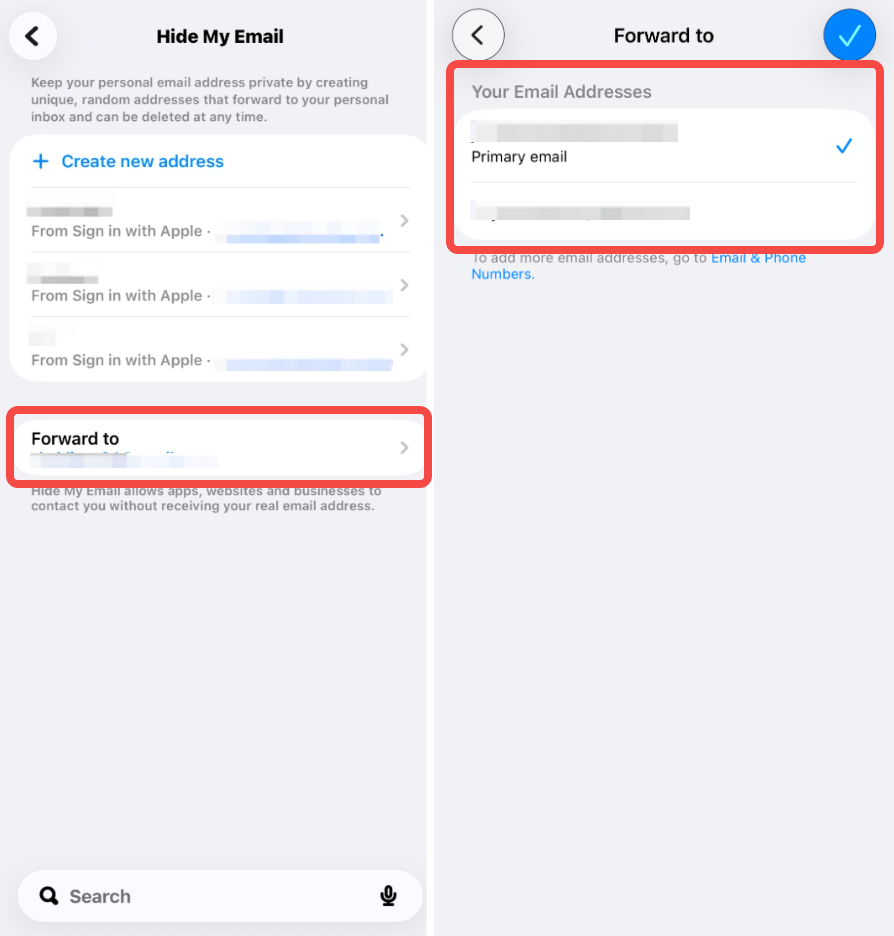
Note: If you signed up using Apple ID and enabled “Hide My Email” feature, please ensure that the randomly generated Apple email address is set to forward emails to the personal email account you selected when creating that Apple-generated email.
Open Settings, tap iCloud, and select Hide My Email.
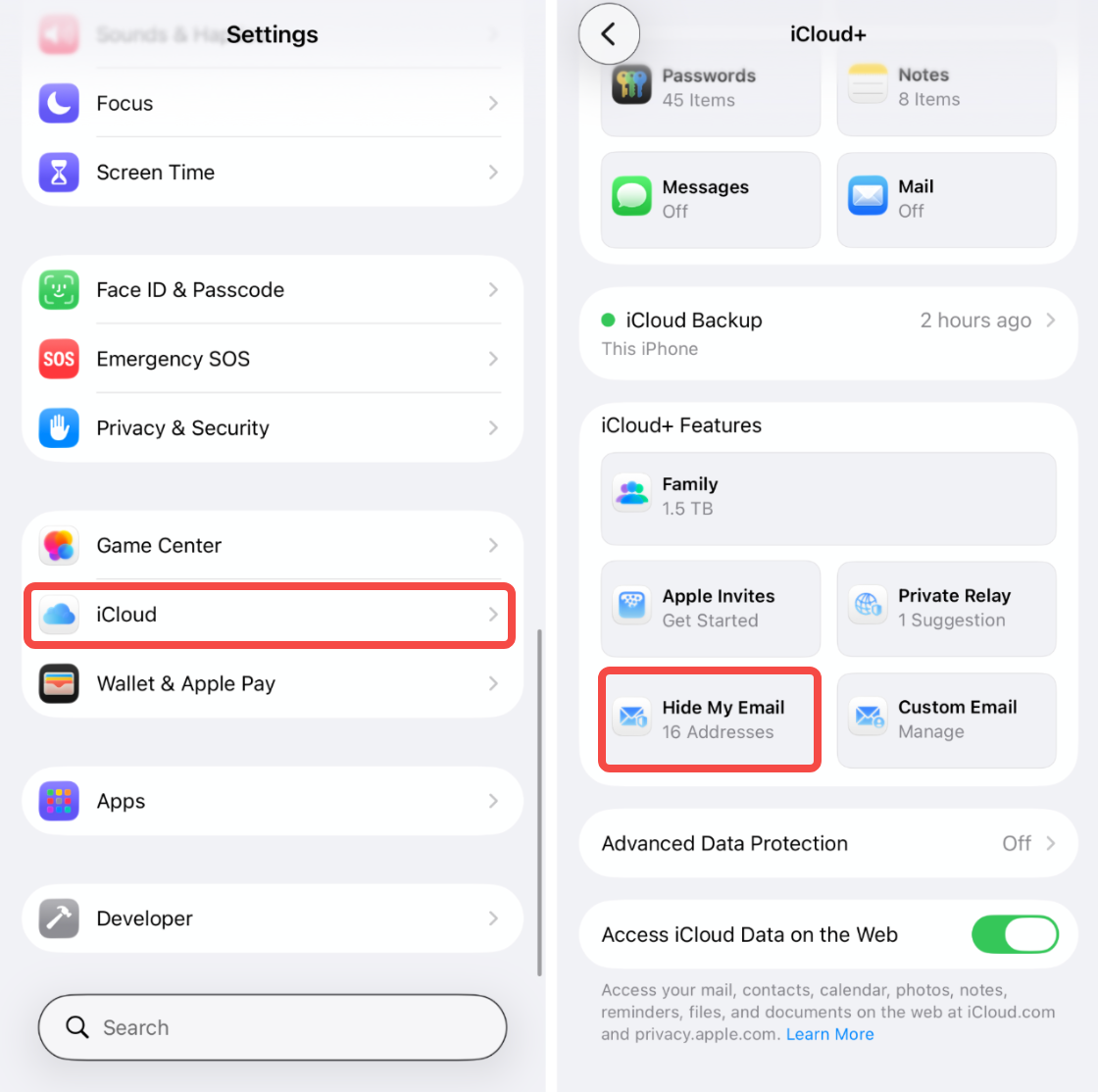
Next, tap Forward to and select the personal email account you selected when creating that Apple-generated email.
Step 3: Attempt to submit another withdrawal/email authentication request again using Google Chrome's incognito mode. To understand how to do this, please click here.
If Step 3 works, Bybit Georgia recommends that you clear your main browser's cookies and cache to minimize the occurrence of such an issue in the future. To understand how to do this, please click here.
Step 4: An excessive amount of requests within a short period of time will also result in a timeout, preventing our email servers from sending out emails to your email address. If you are still unable to receive it, please wait for 15 minutes before submitting a new request.